Professional Ship Simulator Official and Community Links
Primary sources for patches, keybinds, and support — this fan wiki is secondary.
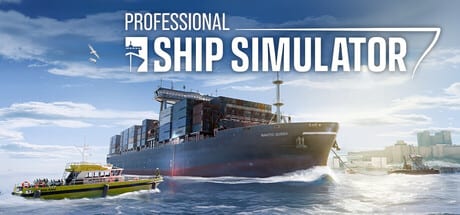
Professional Ship Simulator is developed by SWE Systems and published by Aerosoft. This fan wiki organises public information for captains who are about to take the Steam demo or the 16 September 2026 Early Access build. It is not a studio site. When a bind, harbor, or date disagrees, trust the primary links below.
Use getting started to play. Use this page to find the people who actually ship the sim.
Play and wishlist
- Professional Ship Simulator on Steam — wishlist, store description, news, and the cart when Early Access opens.
- Free demo on Steam — the honest hardware and physics test.
- System requirements — our digest of the Steam spec block.
There is no console storefront and no Roblox experience. If a search result sent you to a different “ship simulator,” check the developer name: SWE Systems / Aerosoft, formerly NauticXP.
Official site, wiki, and downloads
- nauticxp.com — news, feature list, and download posts for keyboard and gamepad sheets.
- Welcome article on the official wiki — studio positioning.
- Feature details — scenery, physics, ship list, mission types, modding intent.
- Keyboard overview posts point at a US keybind graphic. We keep a local copy on the keyboard layout page so it survives a slow CMS.
The official wiki also covers progression/XP and AI traffic. Our how to play page folds those rules into a player syllabus.
Community and support
- Discord invite published on Steam support and the YouTube channel: discord.gg/p6eXSbUGQK
- Support mail listed on Steam: support@nauticxp.com
- Publisher social: Aerosoft on the usual networks (the store trailer campaign ran through IGN and Aerosoft Move)
Bug reports belong on Steam discussions or Discord, not in a fan-wiki comment box we do not have. When we mirror a patch, we do it on the updates hub.
How this wiki uses those sources
Ship lists, map sizes, mission types, and EA policy in our guides and roadmap are taken from the Steam API, nauticxp.com, and public videos. We do not invent YouTube IDs. We do not invent codes — this is not a Roblox title. We do not promise VR, extra player sessions, or a third map on a date the studio has not printed.
If you only bookmark two URLs besides this wiki, make them the Steam app page and the Discord. Everything else, including our review, is orientation for launch week.
Frequently Asked Questions
Quick answers before you take the helm.
Is this wiki official?
No. It is a fan-made resource. Official channels are Steam, nauticxp.com, and the developer Discord.
Where do I download the keybind PDF or PNG?
From the nauticxp.com downloads / keyboard overview posts. We host a local copy on the keyboard tool page.
How do I report a bug?
Steam discussions, the Discord, or support@nauticxp.com. This wiki cannot patch the client.
Where is the Trello?
There is no public Trello we rely on. Use Steam news and the official site for the live plan.