How to Play Professional Ship Simulator
Modes, instruments, autopilot, and the XP rules that punish sloppy seamanship.
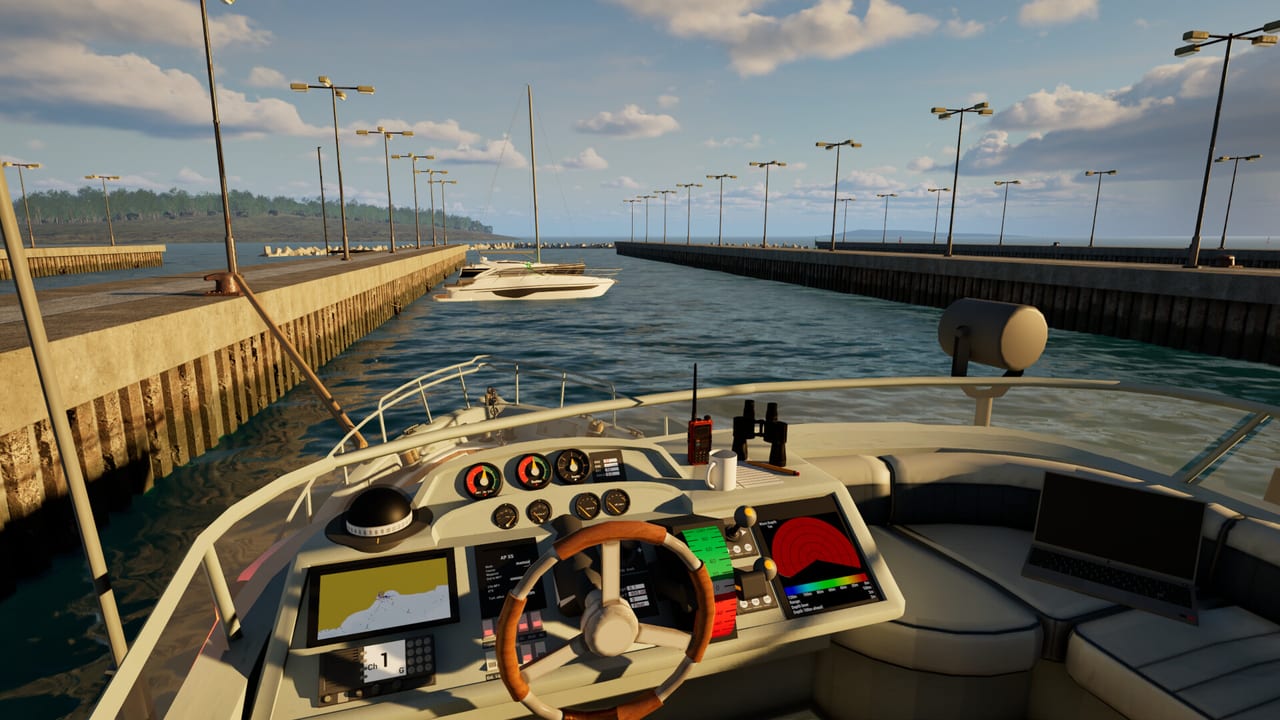
Once you can get started without stalling on the dock, Professional Ship Simulator becomes a loop of planning, handling, and bookkeeping. You pick a mode, configure weather and time, run a job or a free voyage, then spend credits and licenses if you are in career. There is no shared session: traffic, harbor radio, and rankings are the social layer.
This page is the systems overview. Pair it with controls when the HUD fights you, and with missions when you want job-specific steps. Steam Early Access is still scheduled for 16 September 2026; treat career numbers in the demo as training, not a save you must protect forever.
Game modes and how they differ
The official feature list splits play into four lanes:
- Tutorial — guided mini missions. Stay here until cold start, cameras, and a clean undock are automatic.
- Scenario — authored setups (and, later, community scenarios). Use these to rehearse one skill such as a fog rescue or a ferry slip.
- Career — you begin as a small harbor operator with a limited boat, then earn credits, licenses, and larger hulls. The 8 September 2026 release candidate says this track is playable up to Level 2. Details on the career page.
- Open world — choose ship, harbor, and weather, then accept missions or simply sail.
Career is the long game Aerosoft is selling: start small, unlock merchant work, and grow into tankers and cruise ships. Open world is the sandbox that keeps sim veterans happy. If you jump straight to open world on the Dover map in a gale, you will learn the physics the expensive way.
Weather modes include realistic, custom, scene, and dynamic. Real-time weather can pull live conditions. Dynamic weather changes after a period, which is excellent for a three-hour transit and hostile for a first docking. Night sky is usable for orientation; fog and rain are not filters, they are workload.
HUD, radio, and the map
The right-hand HUD is your rudder and throttle truth. The left-hand HUD is system state: power, thrusters, and related toggles. Clickable bridge hardware duplicates much of this. If the two disagree, stop the job and look at the physical panel; clickable 3D controls are authoritative on a well-modelled bridge.
Press M for the chart. You are the ship in the centre. Plot waypoints for channels and long legs, then set turn radius to something the current hull can actually make. Autopilot heading-hold is not magic: it holds a bearing against wind, wave, and current, but it will not dodge a bank you aimed at. Content-creator walkthroughs show two places to drive autopilot — the right HUD and the APX5-style panel in the wheelhouse. Left mouse on the HUD or the X bind (if you kept the default) engages it.
Radio talks to main harbors and, in some setups, other ships. Mission tasking for roughly twenty of the forty-plus harbors goes through the radio menu. Channel discipline matters once you juggle cargo, tugs, and traffic. You do not need real-world GMDSS fluency, but you do need to find the panel before the fairway gets busy.
Radar with AIS/CPA, sonar, and echo sounder are how you survive low visibility. CPA is the closest-point calculation that tells you whether that AI coaster is a problem. Sonar earns its keep on fishing jobs and anywhere the chart and the echo disagree. NMEA output and GPX import/export exist so you can talk to external plotters; that is optional hardware, not a day-one requirement.
XP, money, and when to call for help
XP is awarded for clean tutorials, scenarios, and missions. Harder tasks pay more. You lose XP for collisions, groundings, critical failures, and sinking. Calling harbor tugs or maritime pilots also cuts XP because the sim treats that as cost and as reduced autonomy. That rule should change how you play: a perfect unassisted berth is worth more than a panicked save with two tugs, even if the hull looks prettier in screenshots.
Online rankings track completion, XP, efficiency, and errors. They are competitive seasoning, not a reason to skip docking practice. Credits and licenses gate the commercial fleet. Do not buy a ship whose length exceeds your camera discipline.
Autopilot is the skill that turns a stressful crossing into a watchkeeping exercise. Use heading hold in open water, waypoint mode in channels, and manual helm plus thrusters inside the last few ship-lengths. If autopilot “does nothing,” confirm engines are clutched in, the mode is actually heading or route, and the heading you dialled is not the reciprocal. Then go back to getting started if the cold-start chain was the real bug.
When you are ready to specialise, pick work from the missions page and a hull from the ships hub. Keep the roadmap in mind: modding and extra scenery are planned after Early Access begins, not promised on day one.
Frequently Asked Questions
Quick answers before you take the helm.
What is the best mode for a first evening?
Tutorials, then a calm scenario. Open world on Dover in bad weather is a later treat.
Does autopilot dock the ship?
No. Heading hold and waypoints help on passage. Final berthing is helm, thrusters, anchors, and lines.
Why did I lose XP after a successful arrival?
Tug or pilot assistance, a scrape you forgot, or a system failure can still apply a penalty.
Is there multiplayer?
No. Professional Ship Simulator is single-player. Rankings are online, sessions are not.